Ricestat
Generating Credentials
To submit presence data to Ricestat, it is necessary to generate management credentials.
-
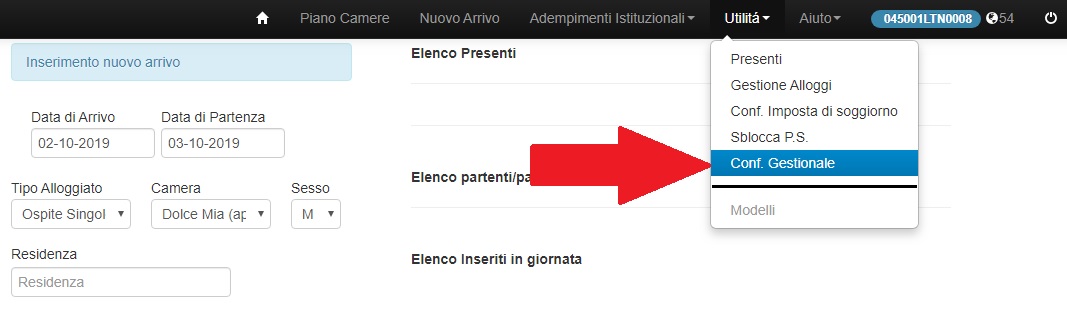
From Ricestat, access the section Utilità → Conf. Gestionale.
-
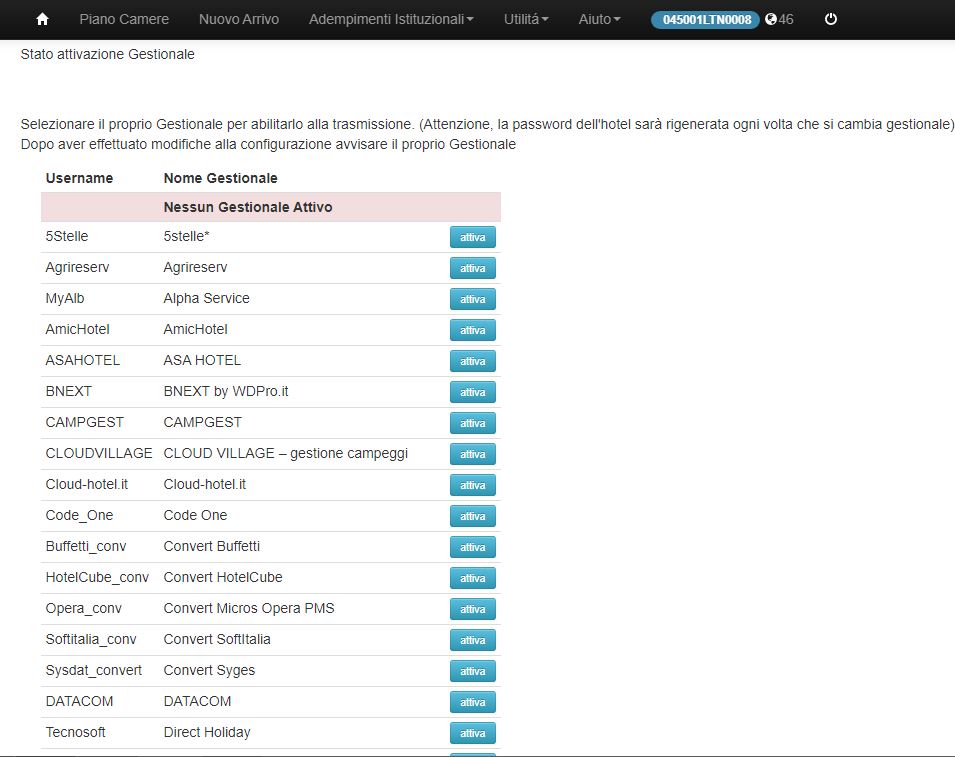
A page will open showing a list of management systems enabled for synchronization:
-
From this list, find CiaoBooking and click on "Attiva". Once activated, a Code ID (which corresponds to the identification code of your accommodation) and a password will be provided.
-
Save the Username and Password. We will need these for configuration in CiaoBooking.
Connecting to the ISTAT Account
Adding an Account in CiaoBooking and Mapping Units
-
In CiaoBooking, from the main menu, navigate to Legal Compliance→ Account → STAT and click on Add.
-
Fill in the fields on the left column as follows:
- Service provider: Select the company responsible for submitting the data.
- Label: This is a useful but optional field for identifying the account being configured.
- Type: Choose ISTAT [city name] RICESTAT.
- Username: Enter the username of the ISTAT account.
- Password: Enter the password of the ISTAT account.
- Automatic Sending: Enable this option if you prefer CiaoBooking to send the data automatically.
-
Click on validate on the left.
-
Wait for a confirmation message.
Mapping Units
To complete the configuration, you need to associate the units with the ISTAT account.
-
Click on the Link button, then select a unit to associate with the Portal ID/Property Code.
-
Repeat this operation for each unit that needs to be linked.
Use Bulk Add
If all units of a property correspond to the same Portal ID/Property Code, click on Add bulk, select the entire property you wish to link, and the Portal ID/Property Code; then click on Create.
Save the Configuration
🎉️ Fantastic! Remember to click on CREATE in the black bar at the top right.
Configure All the ISTAT Accounts You Need
You can configure multiple ISTAT accounts, each assigned to different units. During the notification of arrivals and departures, CiaoBooking will automatically select the correct ISTAT account for you.
Important Note: Once the management system is configured, you will no longer be able to make manual submissions on the portal. All data will be handled by CiaoBooking.
Once the management system is configured, the ability to manually enter presences through Nuovo Arrivo and to make manual modifications/deletions through WebCheck-In will be disabled. All operations related to the modification/deletion of transmitted data will be managed directly by the management system.